
Best Software for Podcasts: Top 2026 Tools

You're probably in one of two spots right now. Either you're launching a podcast and drowning in tabs, comparing recording apps, editing tools, hosts, transcript services, and ad platforms that all claim to do everything. Or you already have a show, but your workflow is messy, slow, and held together by too many subscriptions.
That's why a flat “top podcast tools” list usually doesn't help much. You don't need ten random products. You need a stack. Recording software solves one problem. Editing software solves another. Hosting, analytics, distribution, and monetization sit somewhere else entirely. Apple Podcasts helped push the industry beyond raw download counts by emphasizing metrics like listening completion, engaged listeners, plays, and time listened in Apple Podcasts listener analytics. That shift matters because the best software for podcasts now has to support actual audience growth, not just file uploads.

The market is also moving toward more unified workflows. One market estimate puts the podcast recording and editing software segment at about USD 500 million in 2024, with a projected CAGR of 20% over the next five to ten years in this podcast software market analysis. In practice, that means more teams want fewer tools, faster handoffs, and less operational drag.
If you're also building creator distribution around your show, it helps to compare link in bio platforms while you're tightening your podcast stack.
Table of Contents
1. Descript

Descript is the tool I point to when a team says, “We need to publish faster, and we don't have a dedicated audio engineer.” It treats editing like document editing. You cut words in the transcript, and the audio follows. For marketers, founders, and in-house content teams, that's often the difference between shipping weekly and missing deadlines.
Its real strength is consolidation. You can record, transcribe, edit, clean up audio, generate clips, and standardize output inside one workspace. If your team is building repeatable episode formats, branded clips, and internal review steps, that matters more than niche mastering controls.
Why Descript works
Descript makes sense when speed beats perfection. Text-based multitrack editing, automatic transcription, filler-word removal, Studio Sound, AI clip generation, team permissions, and enterprise controls like SSO and SCIM all push it toward collaborative production rather than hobbyist editing. You can review its plans on the Descript pricing page.
Practical rule: If your editors spend more time finding usable soundbites than polishing final audio, Descript is usually a better fit than a traditional DAW.
What doesn't work as well? Power users who live in Adobe Audition or Pro Tools may feel boxed in during detailed mastering work. You also need to size your plan carefully if your team leans heavily on AI features and large media volumes.
If your production process starts with tighter prep, these podcast script templates from Podmuse help reduce cleanup later. And if transcripts need human review for multilingual, legal, or accessibility use cases, Translators USA podcast transcription is a useful complement.
2. Riverside
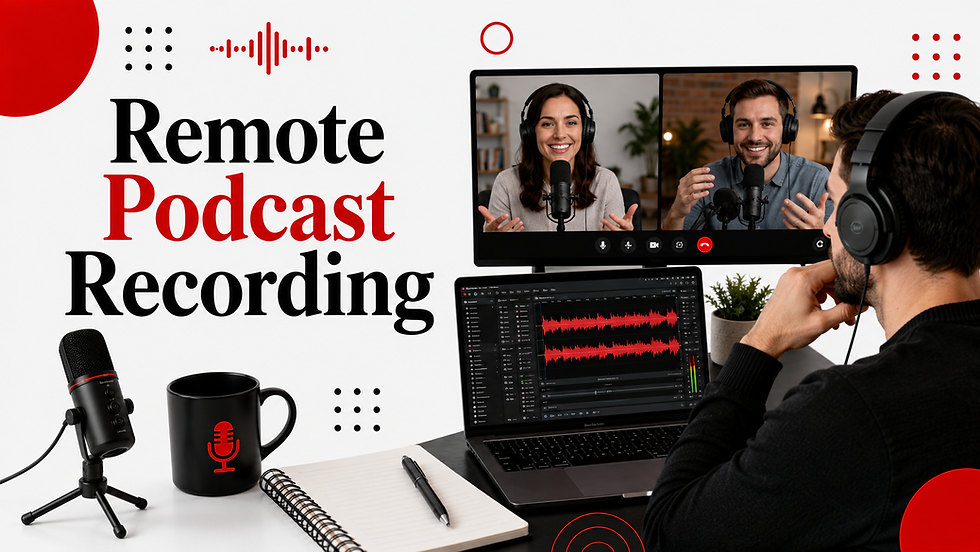
Riverside is for remote capture when quality still matters. If your host is in New York, your guest is in London, and your producer is reviewing clips an hour later, this is the kind of setup that keeps the workflow sane. Browser-based recording with separate local tracks is the main reason people choose it.
That local-track approach solves a common problem. Live call quality can dip, but your final recording can still come through clean because each person is captured on their own machine. For distributed teams, that's a practical advantage, not a nice extra.
Where Riverside fits
Riverside works best when interviews are your core format. Separate audio and video tracks, text-based editing, AI cleanup, clipping, teleprompter tools, and publishing options make it useful for podcast-first teams that also want YouTube and social outputs. You can review current features on the Riverside pricing page.
A big trade-off is session management. Lower tiers can feel tight if you're recording frequently or handling lots of multitrack sessions. Some advanced live and webinar-style features also sit higher up the ladder.
Modern podcast production increasingly expects one tool to support capture, editing, and publishing in a tighter workflow. That trend is clear in mainstream software coverage like this podcast recording software roundup, which highlights how browser and mobile tools now blend stages that used to be separate.
Riverside is strongest when your bottleneck is remote recording quality. It's less compelling if your show is recorded in person and edited elsewhere anyway.
3. Buzzsprout

Buzzsprout is the host I recommend to teams that want the least confusing path from zero to published. It isn't trying to be your editing suite or your enterprise ad stack. That's why it works. The interface is clean, migration is straightforward, and the support reputation is one of its biggest strengths in practice.
If your company is launching a branded show and nobody wants to babysit the tech stack, Buzzsprout removes a lot of friction. You get directory submission, a simple site, analytics, and optional enhancement tools without much setup drama.
Best for simple hosting
Buzzsprout fits teams that value ease over depth. One-click listing to directories, branded podcast sites, dynamic content insertion, optional Cohost AI and Magic Mastering, plus audio and video support make it a practical host for straightforward operations. You can review options on the Buzzsprout pricing page.
Its limitations show up when you want more bundled power. Some useful capabilities are add-ons, and certain plan structures won't appeal to teams that prefer flexible carryover on production volume.
If monetization planning is part of your launch, these podcast monetization strategies from Podmuse pair well with a simple host like Buzzsprout because they help you decide what should be handled in-platform and what should sit outside it.
Choose Buzzsprout if: your team needs easy onboarding and dependable publishing.
Skip Buzzsprout if: you already know you'll need complex ad trafficking or network-level controls.
4. Libsyn

Libsyn has been around long enough that most experienced producers have crossed paths with it at some point. That matters. Longevity in hosting usually means the company has survived format shifts, platform changes, and operational headaches that newer tools haven't had to absorb yet.
For teams moving from a simple host into a more monetization-aware setup, Libsyn is a reasonable middle ground. It can handle audio and video hosting, multi-user access, analytics, and monetization options without jumping straight into a heavy enterprise contract.
Best for established hosting and monetization
Libsyn works well for brands that want a stable host with room to grow. Audio and video hosting, customizable players and sites, multi-user access, and the AdvertiseCast Marketplace give it a broader commercial footprint than many creator-first hosts. You can compare plans on the Libsyn plans and pricing page.
The main downside is plan pressure. Monthly upload-hour limits can become annoying if your format expands, especially once you add video or longer interviews. Advanced distribution and higher-volume use cases can push you into more expensive tiers fairly quickly.
A host like Libsyn is often the right “second platform.” Teams outgrow beginner tools before they truly need enterprise software.
5. Acast

Acast sits in a useful lane between self-serve hosting and serious monetization infrastructure. If you're building a show with sponsorship ambitions, or managing multiple shows and want a cleaner path into dynamic ads and subscriptions, Acast deserves a close look.
This is less about beginner simplicity and more about future-proofing. Acast gives brands and networks a clearer route from “we're publishing episodes” to “we're managing inventory and revenue opportunities.”
Best for growing into ad-supported publishing
Acast's strength is the monetization path. Dynamic ad insertion, marketplace access, support for subscriptions through Acast+, team management, and multi-show support make it attractive for teams planning to scale beyond a single experimental show. You can explore options on the Acast pricing page.
The free entry point has constraints, and some of the deepest capabilities are reserved for more advanced arrangements. Still, for a company that expects podcasting to become a channel rather than a side project, that trade-off can be worth it.
A practical buying lens here is production fit. Some tools are better for large collaborative sessions, while others are built for lighter creator workflows. That split shows up clearly in this remote recording software comparison, which contrasts Zoom's larger meeting-style capacity with Spotify for Podcasters' smaller remote guest limits.
6. Megaphone by Spotify

Megaphone by Spotify is not where you start. It's where publishers, networks, and large brand portfolios go when ad operations become central to the business case. If your team talks about yield, inventory management, demand access, and large-catalog operations, this is the category you're in.
The platform's appeal is clear. Advanced dynamic ad insertion, real-time ad stitching, analytics, audience tools, and access to Spotify Audience Network demand make it a serious option for scaled monetization. You can start with the Megaphone by Spotify website.
Best for enterprise ad tech
Megaphone makes sense when your podcast operation has crossed into media business territory. It's built for larger shows, bigger catalogs, network structures, and advertiser-facing workflows. Human support is part of the value because these setups usually involve more moving parts than a self-serve host can manage comfortably.
The downside is also obvious. It's not a budget host, and it's not trying to be one. Smaller creators and early-stage branded podcasts usually won't get enough value from the ad stack to justify the complexity.
Use Megaphone when: sales, trafficking, and monetization sophistication are business priorities.
Avoid it when: your main need is easy publishing and clean analytics for one or two shows.
7. Omny Studio (Triton Digital)

Omny Studio is built for bigger operations. Broadcasters, media groups, and large brand networks tend to like tools that combine hosting, publishing control, monetization, and workflow support in one system. Omny fits that profile.
This isn't about elegance for solo creators. It's about operational range. Audio and video management, AI-assisted production features, premium content support, and monetization through Triton's ad platform make it a stronger fit for teams with multiple stakeholders and defined production roles.
Best for broadcasters and large content operations
Omny Studio stands out when a podcast is part of a larger media ecosystem. AI features for transcription, chapters, ad markers, titles, and show notes can reduce production friction, and Triton ad tooling gives sales and reporting teams more to work with. The product overview lives on the Omny Studio enterprise podcasting page.
The trade-off is procurement and complexity. Public pricing isn't front and center, and that usually signals a sales-led motion built for organizations, not independent creators. For a single branded show, it's likely more system than you need.
If your team already has producers, marketers, stakeholders, and ad ops involved, Omny starts to make sense. If one person is doing everything, it probably doesn't.
8. ART19 (Amazon)

ART19 is for teams that care about campaign control at a granular level. Not just “insert ads into episodes,” but traffic by line item, manage delivery priorities, balance live reads with dynamic ads, and keep close control over how inventory behaves across a network.
That level of control is overkill for many branded podcasts. But for publishers, advanced ad teams, and media businesses with strict campaign workflows, it's the point.
Best for advanced campaign control
ART19 supports pre-roll, mid-roll, and post-roll ad insertion points, campaign targeting controls, live-read support, baked-in ads, and detailed delivery management. If your ad operations team wants levers instead of just dashboards, this platform is worth evaluating on the ART19 publishers page.
The challenge is usability for smaller teams. Complex ad tooling usually brings a learning curve, and ART19 is no exception. If your organization doesn't already think in terms of trafficking and inventory control, much of the platform's value may sit unused.
A simple rule applies here. Don't buy enterprise ad infrastructure because you hope to grow into it someday. Buy it when your current workflows already justify it.
9. Transistor

Transistor is one of the cleanest options for agencies, SaaS companies, and brands managing more than one show. The big appeal is operational simplicity. Unlimited podcasts on one account changes the economics and admin burden for teams that run multiple feeds.
That makes it attractive for internal comms, customer education series, executive podcasts, and client portfolios. It also handles private podcasting, which is useful if some content is meant for employees, partners, or gated audiences rather than the public.
Best for agencies and multi-show brands
Transistor offers unlimited podcasts on a single account, built-in sites and players, analytics, API access, auto-posting to YouTube, and private podcast features. It's a modern host with a very practical product shape for portfolio management. You can review it on the Transistor pricing page.
Its limits are mostly about scale model, not usability. Download-based tiers can trigger overages or upgrades, and its dynamic ad capabilities are simpler than what you'd get from enterprise ad-tech platforms.
Best fit: agencies, B2B brands, and operators running several shows at once.
Less ideal: teams that need deep marketplace monetization or complex ad sales controls.
10. Captivate
Captivate is a growth-oriented host, and you can feel that in the product positioning. It leans into audience development, dynamic content insertion, and network-friendly workflows more than basic “upload and forget” hosts do. For companies building a content engine rather than a single show, that's useful.
It's also one of the cleaner options for teams that want unlimited podcasts and storage across plans, but still care about structured growth tooling and education around how to use it.
Best for growth-focused teams
Captivate includes dynamic content insertion through AMIE, podcast websites, embeddable players, analytics, private podcasting, and multi-show support. It's a good fit for brands, memberships, and agencies that want a host aligned with audience-building rather than pure publishing. You can compare options on the Captivate pricing page.
The catch is that there's no permanent free plan, and some enterprise buyers may still want deeper external monetization connections. But if your main need is a host that supports growth programs across several podcasts, Captivate is well positioned.
Before you overbuy software, make sure your recording setup is stable. This guide to equipment needed for podcasting from Podmuse is a good gut check. A strong host won't fix weak source audio, bad mic technique, or a noisy room.
Top 10 Podcast Software Comparison
Product | Core focus | Key features (✨) | Target audience (👥) | Quality (★) | Price / Value (💰) |
|---|---|---|---|---|---|
Descript | Text-based multitrack editor | ✨ Studio Sound, AI clip gen, transcription | 👥 Marketing teams, creators, enterprises | ★★★★☆ fast edits & collaboration | 💰 Freemium → paid; AI credits limits |
Riverside | Remote studio-grade recording | ✨ Local separate tracks (4K/48k), Magic Audio | 👥 Distributed interviews, podcasters | ★★★★☆ studio capture remotely | 💰 Tiered hours caps; paid plans |
Buzzsprout | Simple hosting & distribution | ✨ One-click directories, branded site, AI tools | 👥 New shows, small brands, migrators | ★★★★☆ reliable & easy onboarding | 💰 Clear tiers; some features add‑ons |
Libsyn | Long-running host + monetization | ✨ AdvertiseCast marketplace, video hosting | 👥 Brands scaling into monetization | ★★★★☆ proven reliability | 💰 Upload-hour plans; 30 days free |
Acast | Hosting + ad marketplace/DAI | ✨ DAI + marketplace, multi-show support | 👥 Brands & networks seeking monetization | ★★★★☆ pro monetization path | 💰 Competitive pro pricing; starter limits |
Megaphone (Spotify) | Enterprise ad‑tech & DAI 🏆 | ✨ Real-time ad stitching, Spotify demand | 👥 Large publishers & networks | ★★★★★ enterprise-grade | 💰 Custom pricing (sales-only) |
Omny Studio (Triton) | Broadcaster-grade enterprise platform | ✨ AI workflows, Triton Ad Platform (TAP) | 👥 Broadcasters, large networks | ★★★★★ robust enterprise tools | 💰 Sales-led; custom pricing |
ART19 (Amazon) | Enterprise ad-ops & granular DAI | ✨ Line-item targeting, campaign controls | 👥 Networks & ad teams needing precision | ★★★★☆ granular ad control | 💰 Usage/bandwidth pricing; contact sales |
Transistor | Marketer-friendly multi-show host | ✨ Unlimited shows, private podcasts, API | 👥 Agencies, brands, multi-show teams | ★★★★☆ scalable & transparent | 💰 Download-based pricing; transparent |
Captivate | Growth-focused hosting & tools | ✨ AMIE dynamic insertion, Growth Labs | 👥 Companies/agencies focused on audience growth | ★★★★☆ growth-oriented toolkit | 💰 Transparent tiers; 30‑day trial |
Final Thoughts
The best software for podcasts isn't one tool. It's the right combination of tools for the stage you're in now. Many podcasters need to stop asking, “What's the best podcast platform?” and start asking better questions. Where do we record? How do we edit quickly? Who approves content? Where do we host? How do we measure engagement? Do we need ad tech yet, or are we still proving the format?
A simple stack is often enough early on. A remote recording tool like Riverside, a fast editor like Descript, and a dependable host like Buzzsprout, Transistor, or Captivate can cover a lot of ground for branded podcasts and founder-led shows. If your operation gets more complex, with multiple shows, ad sales, premium content, or publisher-grade reporting, that's when platforms like Acast, Libsyn, Megaphone, Omny Studio, or ART19 start to earn their place.
DIY works when your team can handle three things consistently: content planning, production follow-through, and distribution discipline. If episodes keep slipping, guest coordination is messy, clips never get published, or nobody owns performance reporting, DIY usually becomes false economy. You save on vendors but lose momentum, consistency, and audience growth.
Partnering with an agency makes more sense when podcasting is no longer an experiment. That includes branded shows tied to pipeline goals, executive thought leadership programs, multi-platform video podcasting, or paid distribution and ad buying. In those cases, the software stack matters, but so does the operating model behind it. Tools don't create process by themselves.
Good podcast software removes friction. It doesn't replace editorial judgment, production standards, or promotion.
One more point that gets overlooked. Measurement has changed. Completion, engaged listening, and time listened now matter far more than simple publish-and-pray workflows. That's one reason transcription, repurposing, and discoverability deserve serious attention. If transcript quality is part of your workflow, this guide to accurate podcast transcription for creators is worth keeping in the mix.
If you want a clean way forward, map your stack in four buckets: recording, editing, hosting, and monetization. Then decide what your team can realistically own. If you can execute it in-house, keep it lean. If you can't, bring in people who already know where the bottlenecks will hit. Podmuse is one option in that broader ecosystem if you need support across production, distribution, and podcast growth operations.
If you're sorting through podcast tools and also need help building the workflow around them, Podmuse can help you plan, produce, distribute, and grow a branded podcast without piecing everything together on your own.


Comments