
Podcast Remote Recording: The Pro Workflow for 2026
Updated: 2 days ago
You're probably dealing with one of two realities right now. Either your team is about to launch a podcast with remote guests, or you already recorded a few interviews and realized the result sounded fine for an internal Zoom call, not for a public-facing brand show.
That gap matters more than many realize. In branded audio and video, weak remote production doesn't just create technical flaws. It lowers trust. If the host sounds polished but the guest sounds distant, clipped, or nervous, listeners notice. Prospective customers notice too.
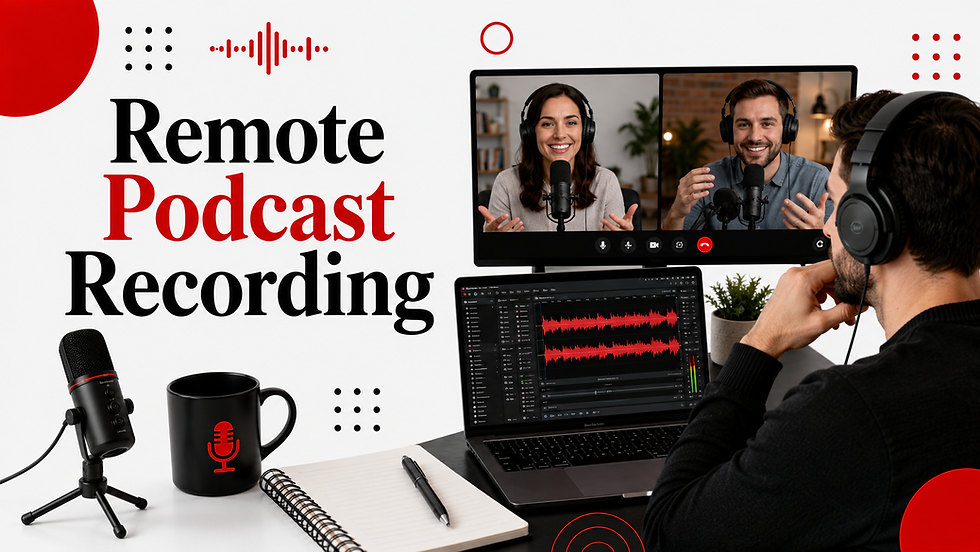
Professional podcast remote recording isn't about making remote guests “work somehow.” It's about building a repeatable system that lets executives, subject-matter experts, and outside guests sound composed, credible, and easy to follow from wherever they are.
Table of Contents
The New Standard for Professional Podcasting - Remote no longer means lower standards - What separates a branded show from a hobbyist workflow
Mastering Guest Prep and Pre-Production - Why guest prep matters more than most teams think - A practical pre-production workflow for executive guests - The guest kit checklist
Choosing Your Hardware and Software Stack - What separates professional platforms from meeting tools - A simple stack that works
Executing a Flawless Remote Recording Session - What mix-minus means in practice - The recording-day protocol - What producers watch during the session
Post-Production Handoffs in the AI Era - What the editor needs from production - Where AI helps and where it doesn't
Scaling Your Content with a Remote-First Strategy - The operational advantage - What good remote systems unlock
The New Standard for Professional Podcasting
Remote production has moved out of the “good enough” category. It's now the default operating model for many serious shows, especially when the guest list includes founders, customers, analysts, and executives in different cities or countries.
That shift is visible in the market. The global remote podcast recording market reached $0.6 billion in 2025 and is projected to hit $1.6 billion by 2034, growing at a 14.2% CAGR, according to remote podcast recording market data from Market Intelo. That matters because it tells you something practical. Brands aren't treating remote recording as a stopgap anymore. They're investing in it as infrastructure.

Remote no longer means lower standards
A branded show has to do more than capture a conversation. It has to represent the company well. That means the workflow has to support consistency across episodes, guests, and formats.
Here's the trade-off. In-studio production gives you control over room sound, signal chain, and talent direction. Remote production gives you access. You can book the right guest instead of the nearest guest. For most brands, that access is far more valuable, but only if the process is disciplined enough to protect quality.
Practical rule: If your team is still using the same setup for a board meeting and a podcast interview, you're producing meetings, not episodes.
What separates a branded show from a hobbyist workflow
The difference isn't just microphone price. It's the operating standard behind the session.
A professional workflow usually includes:
Guest onboarding: The guest knows what to expect before the session starts.
Dedicated recording tools: The platform records local, isolated tracks instead of relying on a compressed call feed.
Redundancy: There's a recoverable file if the browser crashes or the connection drops.
Producer oversight: Someone other than the host is listening for problems in real time.
Structured handoff: The editor gets clean files, notes, and context.
When brands miss these basics, they often think they have an audio problem. Usually they have a process problem. The strongest remote shows don't feel remote because the production team has removed uncertainty before the guest ever joins the call.
Mastering Guest Prep and Pre-Production
Teams often over-focus on microphones and under-manage people. That's backward, especially with executive guests.
Analysis highlighted in this discussion of guest psychology in remote podcasting found that 70% of remote podcast failures stem from guest discomfort or poor conversation flow, not technical issues. That tracks with what producers see in practice. A slightly imperfect room can still deliver a strong episode. A tense, distracted, underprepared guest usually can't.

Why guest prep matters more than most teams think
Non-technical guests often carry three concerns into a remote interview.
They don't want to look unprepared. They don't want to break the technology. And they don't want to say something awkward on a recorded conversation that will live online.
When teams send a calendar invite and a recording link with no guidance, guests fill in the blanks themselves. That usually creates stiff answers, defensive body language, and constant self-monitoring. None of that helps the conversation.
A calm guest with a decent USB mic will outperform a nervous guest on premium gear almost every time.
High-stakes guests need active production, not passive scheduling. They need to know who will be there, how long the conversation will run, whether answers can be repeated, and what to do if something goes wrong. When you handle that upfront, their attention shifts from self-protection to actual conversation.
A practical pre-production workflow for executive guests
The cleanest guest prep system is short, direct, and reassuring. Not technical. Not overloaded.
A strong welcome email usually includes:
Purpose of the episode: Why they were invited and what the audience will get from their perspective.
What to expect: Length, format, whether video is captured, and who will join the call.
Simple setup instructions: Use headphones, choose a quiet room, and join from a laptop if possible.
Support language: Make it clear that a producer will help with setup and that retakes are normal.
A light agenda: Three to five themes, not a scripted interrogation.
The pre-call matters even more. Keep it short and low pressure. Don't frame it as a technical test they can fail. Frame it as a quick confidence-building check.
A useful producer script sounds like this:
“We'll spend a few minutes making sure you sound good and feel comfortable. Nothing here needs to be perfect. If we need to adjust anything, we'll do it together before we start.”
That single tone shift changes the room. Executives are used to being evaluated. They respond better when the producer acts like a partner, not an engineer waiting to catch mistakes.
The guest kit checklist
If the budget allows, send a guest kit. It removes friction and standardizes results. If shipping a kit isn't realistic, at least send a clear checklist with photos or examples.
A practical guest kit includes:
Microphone: A simple USB mic or an XLR mic with an interface if the guest has support.
Headphones: Closed-back headphones, not speakers.
Light source: A compact light for video sessions.
Stand and cable: Enough to avoid handheld audio and last-minute scrambling.
Printed instructions: One page. Large type. Minimal jargon.
Then handle the human details that are easy to miss:
Confirm wardrobe for video. Avoid distracting patterns.
Ask about interruptions. Pets, office traffic, calendar overlap.
Share the first question in advance. It helps guests settle in fast.
Explain that pauses are fine. People relax when they know silence can be edited.
Guests shouldn't feel like passive inputs in a recording chain. They should feel coached, protected, and prepared. That's what lifts remote interviews from acceptable to broadcast-ready.
Choosing Your Hardware and Software Stack
Tools don't make a podcast good, but the wrong tools make a good episode harder to save. For podcast remote recording, the biggest mistake is treating communication software and recording software as the same thing.
They aren't.
What separates professional platforms from meeting tools
Dedicated remote platforms are built to capture each participant locally on separate tracks. Standard meeting tools are built to keep a live conversation moving, even if that means compressed audio and quality loss.
According to Buzzsprout's remote recording benchmarks, dedicated platforms that capture local, lossless audio on separate tracks achieve a 95% higher success rate for usable audio compared to standard video conferencing tools like Zoom. The same analysis notes that enabling echo cancellation or noise suppression while guests wear headphones causes a 40% increase in audio errors requiring re-takes or unusable segments.
That's why producers draw a hard line here.
Category | Consumer meeting tools | Professional recording platforms |
|---|---|---|
Primary job | Real-time conversation | High-fidelity capture |
Audio handling | Compressed call audio | Local separate-track recording |
Producer control | Limited | Better control over track quality and file recovery |
Best use | Internal calls, simple backups | Published branded episodes |

Riverside and SquadCast are common choices because they normalize a workflow producers can trust. Zoom still has value as a fallback communication layer or emergency backup, but it shouldn't be the primary capture path for a serious show.
For a broader breakdown of platform trade-offs, this guide to the best recording software for podcasts is a useful reference.
Later in your evaluation, it helps to watch a platform walkthrough before buying into a stack.
A simple stack that works
The right stack depends on who needs to use it. A founder recording from a home office needs simplicity. A recurring host with a fixed setup can support more complexity.
For most branded shows, a practical hardware stack looks like this:
USB-first for guests: Shure MV7 or another solid USB microphone is usually the right balance of quality and ease.
XLR for regular hosts: A setup like a Focusrite Scarlett 2i2 paired with a Shure SM7B gives the host more consistency and control.
Closed-back headphones for everyone: This is essential. It prevents bleed and keeps monitoring clean.
Basic video lighting: A soft front light or ring light beats overhead office lighting every time.
Don't optimize guest gear for theoretical maximum quality. Optimize for the highest chance that a busy person can set it up correctly.
There's also a hidden cost to overbuilding. If a guest needs an interface, phantom power, routing help, and software downloads just to join a conversation, your risk goes up. Professional production is often about reducing failure points, not adding hardware.
The best stack is the one that gives the producer clean source material without making the guest feel like they've been asked to engineer a radio studio.
Executing a Flawless Remote Recording Session
Recording day is where discipline shows. If the session starts with people hunting for settings, changing microphones mid-call, or asking whether speakers are okay, the process is already slipping.
The technical baseline is clear in The Pod FM's remote recording workflow guide. Expert workflows require capturing uncompressed WAV or AIFF files at 48kHz and 24-bit on each participant's local device, with input gain set so peaks do not exceed -6dB. The same guidance warns that the most common pitfall is relying on Wi-Fi streaming without backup, and recommends local redundancy to preserve a recoverable file if the connection fails.

What mix-minus means in practice
Mix-minus sounds more intimidating than it is. In plain terms, each person needs to hear everyone else in their headphones, but not hear their own voice fed back to them in a delayed loop.
When producers get this wrong, guests hear echo or start speaking unnaturally because the monitoring feels off. When they get it right, the call feels natural and the local recording stays clean.
For most remote sessions, the practical version is simple:
Everyone wears headphones
No one uses open laptop speakers
Platform noise reduction and echo cancellation stay off for headphone users
The producer checks monitoring before the formal interview begins
That's mix-minus at the operational level. Not a theory lesson. Just a clean monitoring path without feedback.
The recording-day protocol
A good session follows the same sequence every time. Not because producers love checklists, but because consistency catches problems early.
Use this order:
Room check first Ask the guest to silence notifications, close doors, and stop nearby devices that hum or buzz.
Mic position second Dynamic mics should sit close to the mouth. Sensitive condensers need a bit more space. The point is stable distance, not constant adjustment.
Headphone confirmation If a guest says, “I'll just use my laptop audio,” stop and fix that before anything else.
Platform settings review Confirm local track capture is enabled and software processing is disabled when appropriate.
Test recording Run a short sample, then listen back. Don't trust meters alone.
Scratch test Have the guest clap once. It's a fast way to check sync, room response, and obvious phase issues.
Backup recording Start the secondary capture before the actual conversation starts.
For teams building an SOP, this guide on how to record podcast audio is worth bookmarking.
“Record first, chat second” is a good producer habit. Too many teams settle into the conversation and forget to verify the capture path.
What producers watch during the session
Once the interview starts, the producer's job shifts from setup to protection.
They watch for level spikes when the guest gets animated. They listen for plosives, chair squeaks, HVAC noise, and headphone bleed. They also watch the guest, because behavior often predicts audio trouble before the meters do. If someone keeps turning away from the mic to think, the producer may need to reset technique at the next pause.
Three habits help a lot:
Mark problems live: Note timestamps for coughs, interruptions, and strong quotes.
Pause early when needed: It's better to redo one sentence than salvage a whole section later.
End slowly: Don't let anyone close the browser or laptop until uploads are complete and confirmed.
The difference between an average remote session and a reliable one usually comes down to this. Someone is actively producing, not just hosting.
Post-Production Handoffs in the AI Era
The recording isn't finished when the conversation ends. It's finished when the editor has everything needed to turn raw files into a coherent episode without guessing.
That handoff matters even more with remote recordings because each participant may have a different acoustic environment, speaking pattern, and file path.
What the editor needs from production
A clean handoff package is simple and complete.
Include:
Separate local WAV files for each speaker
A clear file naming structure
Session notes with timestamps
Pickup notes for re-recorded lines or corrected answers
A brief editorial summary so the editor knows the intended shape of the episode
Good naming prevents confusion fast. Use a consistent format like show name, episode number, speaker name, and date. If there's a backup file from the host machine or platform capture, label it clearly as backup, not primary.
Session notes should be useful, not exhaustive. Mark the strong opening answer, any repeated line that should replace the first take, and places where someone talked over another speaker. That saves time in the edit and reduces avoidable back-and-forth.
Where AI helps and where it doesn't
AI is changing this stage quickly. According to Pod Rewind's 2026 podcast production trends, AI is projected to automate 60% to 80% of podcast post-production workflows by 2026, including transcription, editing, and leveling. For remote production, that matters because the editor is often working with voices captured in different rooms on different microphones.
Used well, AI helps standardize the messy parts. It can generate transcripts, remove filler words, level dialogue, identify clips, and speed up rough-cut creation. If your team is comparing options across categories, this guide to AI tools for content creators is a useful starting point because it helps frame where automation fits in a broader content workflow.
But AI doesn't replace editorial judgment.
Producer note: Use AI to remove repetitive labor. Don't use it to make storytelling decisions you haven't made yourself.
The best post teams use automation for cleanup and speed, then apply human judgment for pacing, emphasis, narrative shape, and brand safety. That balance is especially important in executive interviews where tone and phrasing carry reputational weight.
If you're evaluating workflow changes, this overview of AI in podcast production is a practical companion to editor-side planning.
Scaling Your Content with a Remote-First Strategy
Remote-first production works best when it's treated as a capability, not a workaround. Teams that approach it that way tend to build faster booking pipelines, more flexible publishing calendars, and stronger reuse across formats.
The operational advantage
A strong remote system removes a lot of invisible friction.
You don't need to coordinate travel just to capture one interview. You don't need to reject strong guests because they aren't local. You also don't need to compress production into the limited days when everyone can physically reach the same studio.
That freedom changes what a podcast can do for a company. A show can support executive visibility, customer marketing, category education, recruiting, and social content at the same time, because the guest pool is no longer restricted by location.
The operational value comes from three habits working together:
Human-centered prep: Guests arrive calm and usable.
Professional capture: The source material is clean enough to publish with confidence.
Structured post: Editors can move quickly without rebuilding the session from scratch.
What good remote systems unlock
When those habits are in place, a remote interview becomes more than a single episode.
It can become:
A flagship audio episode
A video cut for YouTube or LinkedIn
Short clips for paid and organic social
Sales-enablement excerpts
Internal thought-leadership assets
The primary business rationale for podcast remote recording isn't convenience; it's the strategic advantage.
The strongest branded podcasts don't rely on luck, charismatic hosts, or forgiving editors. They rely on process. And the process starts earlier than often thought, with guest preparation that reduces anxiety, increases clarity, and gives production a stable foundation to build on.

If your team wants a remote podcast workflow that holds up under brand standards, Podmuse can help. From guest prep and recording systems to post-production and distribution, the team builds end-to-end podcast programs for brands that need more than a decent call recording.
Hôm trước đang ngồi chờ xe nên mình tranh thủ đọc vài bài viết trên điện thoại để giết thời gian. Có một bài khiến mình đọc hết khá nhanh vì cách trình bày tương đối dễ chịu, các ý được sắp xếp rõ ràng. Đọc đến giữa bài thì thấy nhắc đến 789club nên mình cũng chú ý hơn một chút để xem nội dung nói gì. Phần thông tin được dẫn dắt khá tự nhiên, nội dung cơ bản nên không mất nhiều thời gian để nắm bắt. Với mình thì kiểu bài viết ngắn gọn, dễ đọc như vậy sẽ tạo cảm giác thoải mái hơn khi theo dõi trên điện thoại.
Nhìn chung kqbd.deal có bố cục rõ ràng và tập trung tốt vào phần nội dung chính. Mình đặc biệt thích cách các mục được phân chia bằng tiêu đề và khoảng trống thay vì sử dụng quá nhiều hiệu ứng. Giao diện vì thế trông đơn giản nhưng vẫn đủ thông tin cần thiết.
Khi truy cập vào live casino và game bài, mình thấy tốc độ phản hồi khá đều. Trong quá trình đọc thêm thông tin về xx 88 mình nhận thấy hệ thống còn tích hợp thêm slot, esport và thể thao nên tạo cảm giác đầy đủ hơn. Các danh mục được phân chia rõ nên không mất nhiều thời gian làm quen. Cá nhân mình cảm thấy tổng thể được tổ chức khá hợp lý.
Khi đọc các bài giới thiệu nền tảng giải trí, tôi thường thích những bài viết ngắn gọn để có thể xem nhanh trên điện thoại. Bài viết này có bố cục khá dễ theo dõi khi phần nhắc đến nhà cái uy tín được đặt ở giữa nội dung. Điều đó giúp mạch bài trở nên tự nhiên hơn và không tạo cảm giác quảng cáo quá sớm. Nội dung tập trung vào trải nghiệm chung của người dùng với giao diện dễ sử dụng và nhiều danh mục quen thuộc như slot, game bài hay mini game. Nhìn chung cách diễn đạt khá nhẹ nhàng và dễ hiểu.
Mình cũng từng thấy https://rikvipclub.archi/ được nhắc trong vài cuộc thảo luận nên tò mò vào xem thử. Ấn tượng đầu tiên là giao diện khá gọn, các mục được sắp xếp tương đối dễ nhìn.